Industries Labor Machine
Lorem Ipsum is simply dummy text of the printing and typesetting industry. Lorem Ipsum has been.
Industries Labor Machine Read More »
Lorem Ipsum is simply dummy text of the printing and typesetting industry. Lorem Ipsum has been.
Industries Labor Machine Read More »

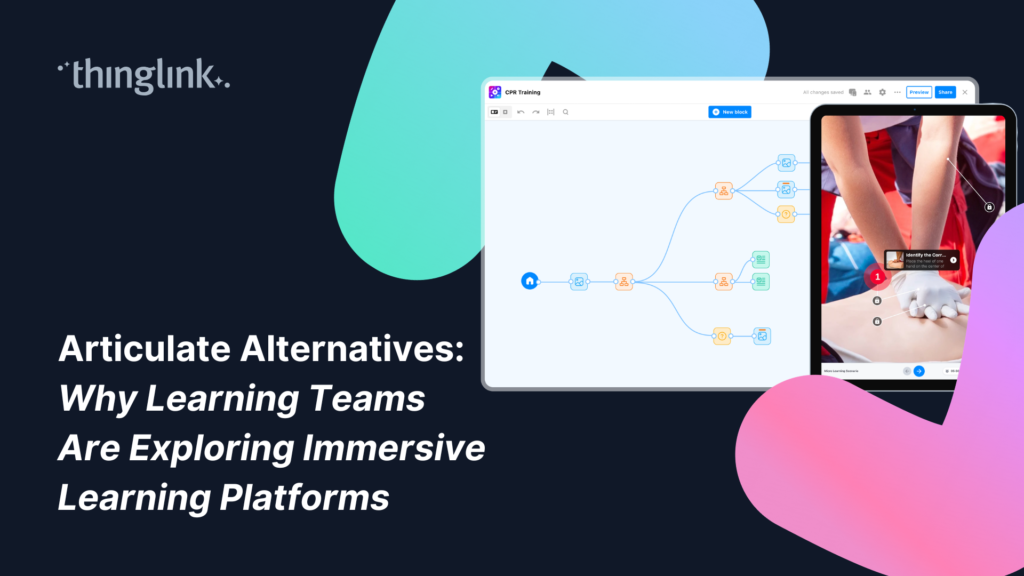
For more than a decade, Articulate has been one of the most widely used eLearning authoring platforms. Many organizations rely on tools like Articulate Storyline and Rise to build structured online courses that integrate with LMS platforms and scale across global training programs.
However, recent conversations across the learning design community suggest that many teams are beginning to reassess their tools and workflows. As a result, many instructional designers have begun searching for Articulate alternatives that offer greater flexibility in pricing, learning formats, and creation workflows.
Instructional designers, learning leaders, and freelancers have raised several recurring concerns: rising licensing costs, bundled AI pricing models, limited subscription flexibility, and the growing realization that not every learning experience fits neatly into a slide-based format.
These discussions do not necessarily mean that traditional authoring tools are disappearing. For many organizations, they remain a familiar and reliable part of the learning technology stack.
But they do reflect something important: learning teams are increasingly looking for tools that allow them to design more engaging, flexible, and immersive learning experiences.
If you’d like to learn more about how your company can save resources and effectively support employees with scalable XR and impactful training, schedule a free call with our Enterprise Executive.
Just a simple, tight list — no table:
Across industry forums and professional discussions, several consistent themes have emerged.
Many instructional designers have pointed out that traditional authoring tools are priced primarily for enterprise environments. Individual creators, freelancers, and smaller organizations often struggle with annual licensing costs that can exceed $2,000 per user.
Monthly subscription options are rare, which can make it difficult for professionals working on project-based timelines.
Another topic of discussion has been the growing trend of bundling AI functionality into higher-priced subscription tiers. While AI can be useful in learning design workflows, many practitioners already rely on external AI tools and prefer the flexibility to decide how and when to use them.
Some learning teams have also expressed frustration with the pace at which certain feature requests are implemented in traditional authoring platforms. When development cycles stretch across many years, organizations may begin exploring new approaches to learning design.
Perhaps the most important shift is conceptual rather than technical.
Many learning experiences, especially those involving real-world environments, are difficult to recreate in a slide-based course structure. Safety training, equipment simulations, spatial awareness exercises, and scenario-based learning often require something more interactive and contextual than linear slides.
This is where immersive learning environments are gaining attention.
When instructional designers begin evaluating alternatives to Articulate, the goal is often not to abandon familiar tools entirely. Instead, teams are exploring new platforms that expand what kinds of learning experiences they can design.
Traditional authoring tools remain effective for structured course development. However, many organizations are also experimenting with immersive learning environments that allow learners to explore situations, interact with objects, and practice skills in context.
ThingLink is one platform gaining attention in these conversations because it focuses on creating interactive environments rather than slide-based courses.
While several platforms are now being explored as Articulate alternatives, one of the clearest comparisons is between Articulate and ThingLink, especially for teams looking to move beyond slide-based learning.
When evaluating Articulate alternatives, it helps to understand that different learning tools are built for different types of learning experiences.
Articulate tools such as Storyline and Rise are designed primarily for creating structured, slide-based eLearning courses that integrate with learning management systems.
ThingLink takes a different approach by focusing on immersive learning environments that allow learners to explore, interact, and practice skills in context.
Capability
Core learning format
Learning structure
Creation workflow
Typical use cases
Pricing model
AI features
Accessibility for individuals
Articulate
Slide-based courses
Linear modules
Course development and slide authoring
Compliance training, structured courses
Primarily annual enterprise licenses
Moving all subscriptions to AI-enabled plans at a higher price point
Designed primarily for enterprise L&D teams
ThingLink
Interactive, immersive, and spatial learning environments
Exploratory learning experiences
No-code, drag and drop creation of interactive learning environments
Immersive learning environments, safety walkthroughs, scenario-based training, virtual onboarding, interactive product demos
Creator Plans with flexible monthly pricing, plus scalable licenses for schools, universities, and enterprise training teams
AI capabilities are included in the platform and plans, and are optional to use
Used by individual creators, educators, and enterprise training teams
Many organizations are beginning to combine both approaches within their learning ecosystems.
Slide-based courses remain useful for structured knowledge delivery and compliance training. Immersive environments, on the other hand, allow learners to explore real situations, interact with content spatially, and build deeper contextual understanding.
This combination allows learning teams to create experiences that better mirror real-world environments.
Instructional designers evaluating alternatives to Articulate are often not looking to replace every aspect of their current workflow. In many cases, they are looking for tools that allow them to expand the kinds of learning experiences they can create.
Traditional authoring platforms have long been the standard for developing structured eLearning courses that integrate with learning management systems (LMS).
However, instructional designers today are working in environments where expectations around learning experiences are changing rapidly.
Learners increasingly expect training to feel interactive, exploratory, and connected to real-world environments. Slide-based courses can be effective for certain types of content delivery, but they often struggle to recreate the context in which many skills are actually applied.
This is one reason many instructional designers are beginning to experiment with immersive learning platforms alongside their existing tools.
Immersive environments allow designers to build experiences where learners explore a space, investigate objects, and interact with content in context. Instead of moving through a sequence of slides, learners can navigate environments that mirror real workplaces, classrooms, or operational settings.
For example:
Platforms like ThingLink make it possible for instructional designers – or indeed anyone, with even limited experience of learning design – to build these environments visually without complex development workflows.
Another factor influencing tool choice is accessibility for creators. Many instructional designers working independently, consulting, or building portfolios look for tools that allow them to experiment without committing to large annual licensing costs.
ThingLink’s Creator Plans were designed with this in mind. These plans provide flexible monthly pricing options that make immersive learning creation accessible to individual designers, educators, and smaller teams.
AI capabilities are also included in the platform but remain optional to use, allowing designers to decide how and when AI fits into their workflow.
For instructional designers exploring alternatives to Articulate, the goal is often not to abandon familiar tools entirely. Instead, it is about expanding their design toolkit and creating learning experiences that feel more engaging and contextual.
One reason learning teams are exploring alternatives to traditional authoring tools is that many training scenarios simply do not translate well into slide-based formats. In real workplaces, people rarely learn by progressing through a sequence of slides. Instead, they develop skills by interacting with environments, observing processes, and making decisions in context.
Immersive learning environments allow these types of experiences to be recreated digitally. They help learners build spatial awareness and contextual understanding that can be difficult to achieve in traditional eLearning courses. They also allow learning teams to scale training experiences that would otherwise be expensive or difficult to organize in person. As a result, immersive learning has gained traction across industries ranging from healthcare and manufacturing to higher education and K–12 classrooms.
For many learning teams, immersive learning does not replace traditional courses entirely. Instead, it expands what digital learning experiences can look like. By combining structured course modules with immersive environments, organizations can design training programs that are both scalable and deeply engaging.
Listening to the Learning Community
One of the most important drivers of innovation in learning technology is feedback from the people who use these tools every day.
At ThingLink, we closely follow conversations across the learning design community and work directly with educators, instructional designers, and training teams to understand the challenges they face.
Customer feedback plays a central role in shaping our product roadmap and guiding how we develop new features.
Learning design is evolving quickly, and the tools that support it must evolve alongside it.
If you are exploring immersive learning approaches or experimenting with new formats for digital training, we would love to hear from you. Feedback from educators, instructional designers, and training teams continues to shape the future of ThingLink and the broader learning technology landscape.
If you’d like to learn more about how your company can save resources and effectively support employees with scalable XR and impactful training, schedule a free call with our Enterprise Executive.
Lorem Ipsum is simply dummy text of the printing and typesetting industry. Lorem Ipsum has been.
Industries Labor Machine Read More »
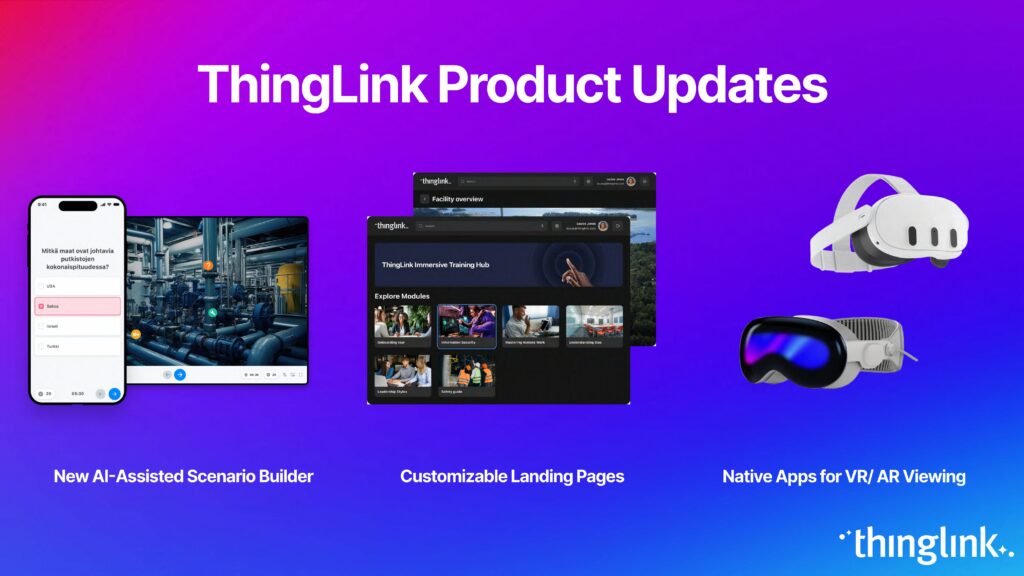
Over the next few weeks, ThingLink will be rolling out a series of new or updated products that are essential for any organization that is looking to modernize learning and support its learners with better training materials. The upcoming product announcements are focused on:
These updates will help organizations:
Interested in learning more about creating immersive learning and training experiences using ThingLink’s Scenario Builder? Book a demo today and get started with a free trial.
First, we are introducing the new AI-assisted ThingLink Scenario Builder that helps you create visually appealing, mobile-friendly training experiences that are accessible in any language. The new version of ThingLink’s Scenario Builder includes a Create with AI feature that – based on your starting materials and prompts – generates a suggested framework for your learning experience, consisting of a series of content blocks that you can easily edit. The outcome of the creation process is impacted by the quality of the prompt, the summary of key content areas, as well as direct instructions for the desired outcome.
The Create with AI functionality has been developed as a European Digital Innovation Hub (EDIH) project, in collaboration with the University of Eastern Finland and Kuopio Health. The goal of the project was to develop a solution that would help users transform existing text-based materials into various forms of dynamic, interactive learning experiences, including linear or branched learning scenarios.
The Create with AI feature in the new ThingLink Scenario Builder launches as a beta feature. This means that rather than a finished product, this feature is mature enough to invite our users to test it and give us feedback for development. In the next few months, we are planning to organize recurring feedback sessions that you are welcome to join!
The end goal of ThingLink Scenario Builder is to save you time and help you with learning design and immersive learning content production. It is faster to edit than to start from scratch!
Easy integrations and content sharing are prerequisites for adopting new immersive learning tools. In the upcoming weeks, we will be introducing various new integrations and partnerships for sharing your interactive learning assets across platforms and devices.
As the number of immersive learning assets grows, it is important to arrange these assets in a way that ensures learners only see the training assigned to them when they navigate the different digital environments. This is why we are introducing customizable landing pages for easy content sharing.
Customizable landing pages allow you to arrange and share your training assets with different groups of learners on a dedicated landing page. Think about this page as your ThingLink content hub that can be shared to an LMS or accessed via VR headsets.
On the topic of headsets: ThingLink will be introducing native apps to the leading VR headsets that connect the customizable landing pages to easy VR viewing. This means different groups of learners will have quick access to training materials that have been specifically selected for them.
ThingLink’s dynamic publishing system makes your content instantly accessible on any device. This means that the same asset, let’s say a sales enablement training, can be instantly viewed by your learners on laptops, mobile devices, VR headsets, large touch screens, or interactive rooms without having to separately send an update, compile a new file type or adjust the viewing range. This is the second major time-saving quality of the ThingLink product updates.
ThingLink’s vision is to make learning more accessible by transforming any physical or digital space into an interactive learning experience. To continue executing on this early vision, ThingLink will introduce a new AR experience for pass-through headsets. Even if we are in the early days of wearable AR, it is easy to see how the ubiquitous interactivity in learning and work environments will become a reality. With this, literally anything can be turned into a learning experience.
We hope you enjoy these product updates and that they will help you support your employees and students with more impactful training materials that complement your existing practices in a flexible way. As always, if you are interested in a free consultation or a trial, please contact our team today.
Register for our upcoming webinar to learn more about how ThingLink Scenario Builder empowers educators, trainers, and organizations to create dynamic, immersive learning experiences that drive critical skills like problem-solving, adaptability, and decision-making.
ThingLink’s New AI and XR Tools Help Organizations Modernize Learning and Save Time Read More »
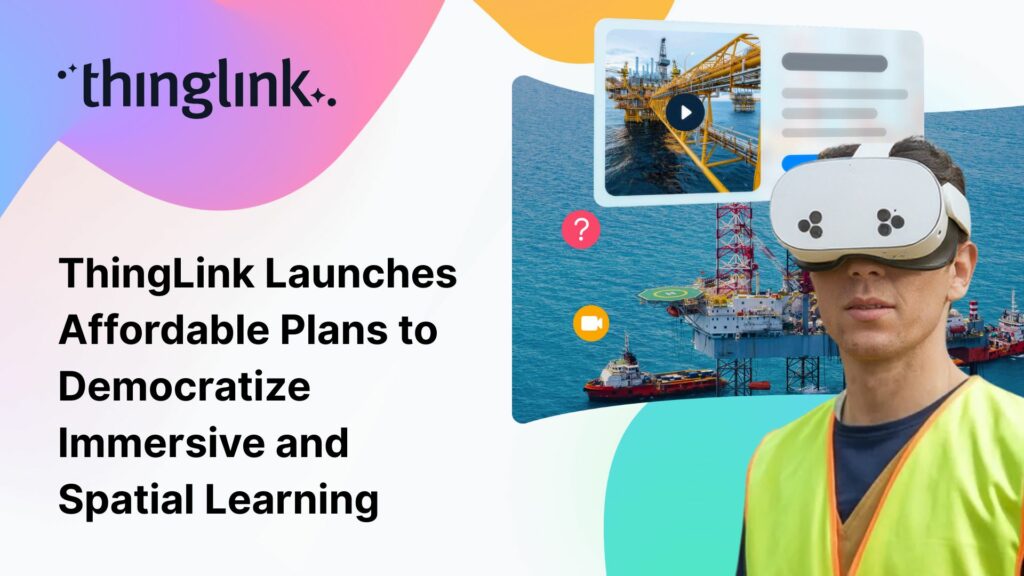
Today, ThingLink announces the launch of its new affordable Creator Plans, designed to make immersive and spatial learning more accessible to creators, educators, and organizations worldwide. Available as flexible monthly subscriptions, the new lower-tier plans – Create Starter and Create XR – offer powerful tools for building and sharing interactive AR and VR content at a fraction of the traditional cost.
With Create Starter (starting at $19/month when billed annually), users can build interactive tours and virtual environments, scan and annotate 3D models, and publish across multiple platforms – perfect for those just beginning their journey in immersive storytelling.
Try ThingLink Create Starter for 7 days and explore all the features
For professionals ready to scale up, Create XR (starting at $66/month when billed annually) provides advanced deployment options, including a branded, multi-device landing page, and seamless compatibility with all major high-end headsets.
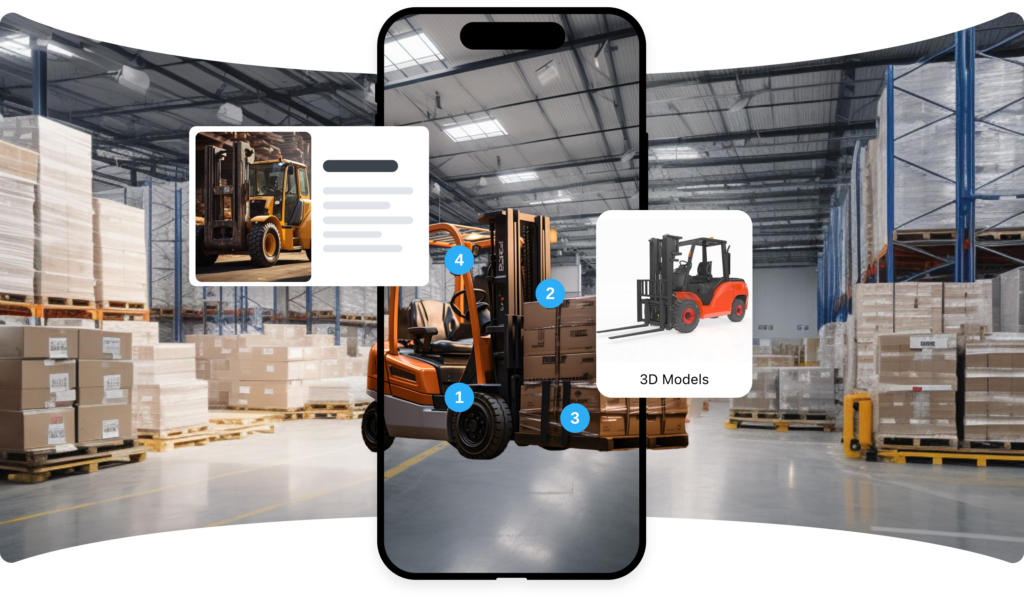
Backed by ThingLink’s AI-powered creation flow, deep integrations with tools like Canva, and easy-to-read performance analytics, these new plans give creators everything they need to design, distribute, and optimize impactful XR learning experiences quickly and affordably.
“Our mission has always been to make it possible for everyone to create immersive learning experiences. Traditional XR tools are often too complex and costly for many educators and smaller organizations. With our new Creator Plans, we’ve focused on speed, simplicity, and affordability – while ensuring experiences are accessible on any device, scalable for growing needs, and can be seamlessly integrated across platforms. Now anyone can create and share powerful XR learning content that reflects their own subject matter expertise.”
Ulla-Maaria Koivula Founder and CEO of ThingLink
Compare features and learn more about ThingLink’s flexible, powerful Creator Plans.
About ThingLink
ThingLink is an AI-powered easy-to-use immersive content creation and learning platform for education and business. It enables teachers, trainers, and professional learning content creators to transform existing learning materials or new ideas into interactive learning experiences – without needing coding skills or complex software.
Used by thousands of schools and organizations globally, ThingLink helps modernize the learning experience by making content more visual, engaging, and accessible on all devices – including tablets, smartphones, immersive rooms, and VR headsets, including Meta Quest, Pico, Apple Vision Pro, and more.
ThingLink Launches Affordable Plans to Democratize Immersive and Spatial Learning Read More »
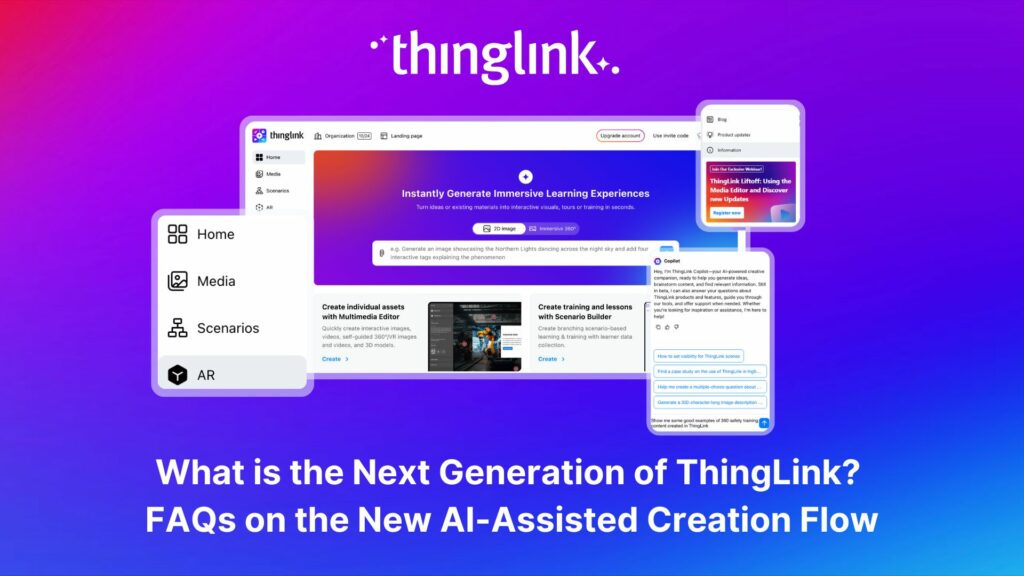
The next generation of ThingLink has launched, with the same easy-to-use immersive learning creation tools now accessible via a fresh new interface.
Create interactive modules or courses with ThingLink Scenario Builder, individual interactive scenes, immersive learning environments and engaging AR experiences – all from one slick and user-friendly dashboard.
The updated ThingLink interface also features a brand new AI Creative Copilot, there to help you generate ideas, and quickly find the most relevant information for your content.
You can now also request access to ThingLink’s new AI-assisted creation flow. This powerful new tool allows you to instantly create high-quality immersive learning experiences and virtual tours – using simple text prompts.
Transform any concept, or your existing content, into engaging, multimedia interactive experiences – even faster and more easily than ever before.
We’ve compiled this helpful list of FAQs that should help answer the most common questions about the new developments.
If you’d like to learn more about how your company can save resources and effectively support employees with scalable XR and impactful learning materials, schedule a free call with our Enterprise Executive.
Yes, this update has no effect on your content or how you can access it. You’ll still find everything exactly where you expect it.
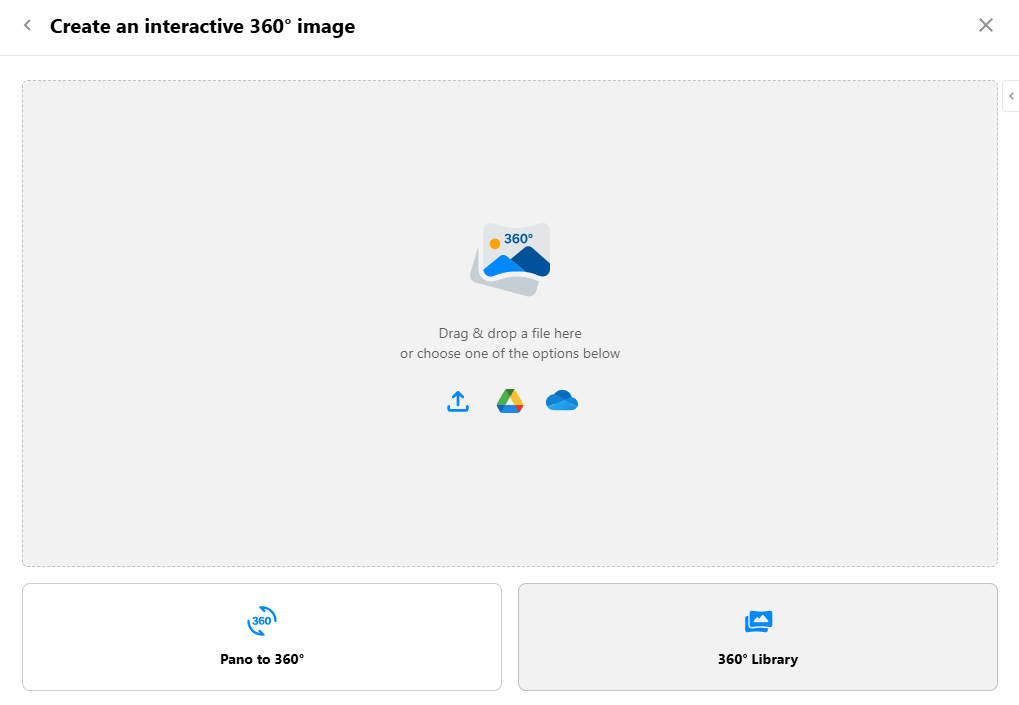
You can access the 360° Library via the Create menu. Simply click the Create button to create a new project, then select 360° image option and click the 360° Library button:
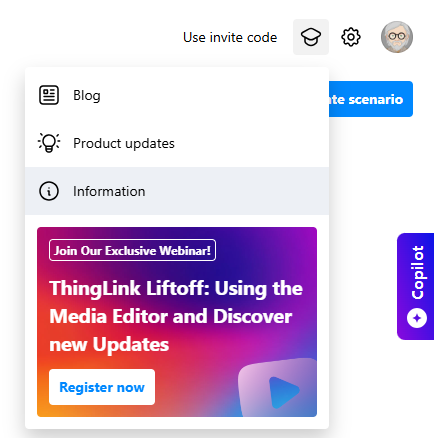
In the Learning Center you can find the Certified Creator Course, the 360 Library, tutorials, live examples of immersive experiences and real-world use cases from our global community of content creators.
Simply click the ‘Resources’ button (hat icon) in the top-right corner and select the ‘Information’ tab in the drop-down menu:
Create with AI functionality is available based on role and users can request access via a form submission.
Anyone except students can request access. Students do not see the prompt to request access.
Consider this as an “All-in-one” step. Previously, you could generate a 2D or 360 image, and then use ThingLink AI tools to generate tags within your new image. Now, these two actions are carried out in one simple AI-powered step once you enter your prompt – and upload your PDF if you choose to add one.
ThingLink uses the SkyboxAI integration to generate 360° images and Google Imagen integration to generate 2D images.
The Copilot is opened via an expandable tab to the right hand side of the editor interface. Simply type your question or message into the dialogue box.
ThingLink Copilot is not available on student and learner accounts at this stage. In addition, the Copilot will not be shown to your users if you prohibit them from accessing artificial intelligence features via Organization settings.
You can ask it to find general information online to help create your learning content. But you can also find more specific guidance on using the ThingLink platform. For example you could:
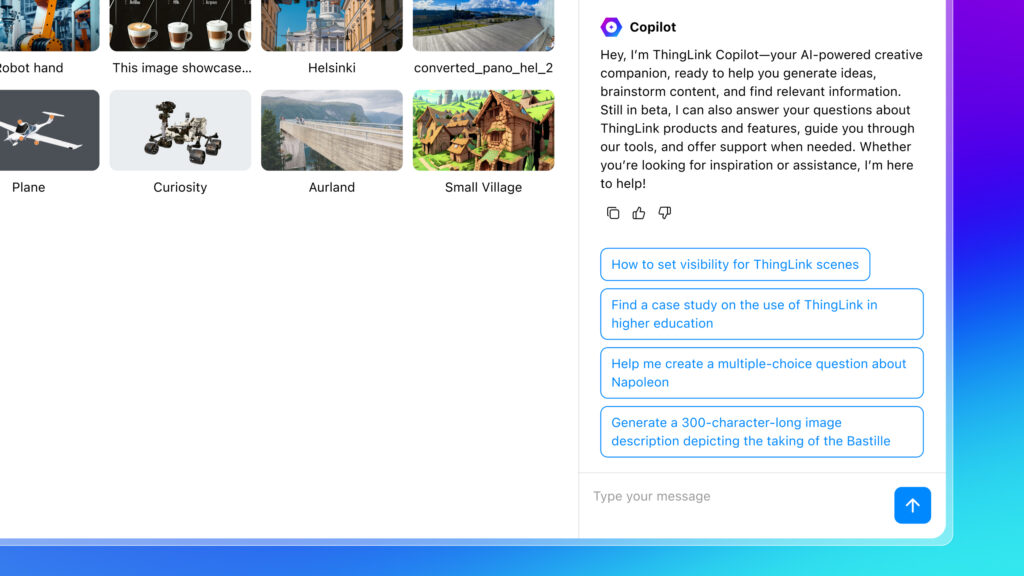
The Copilot has comprehensive knowledge of ThingLink, pulling relevant content from the website, support pages, and blog, and providing direct links to original sources for more details. It can provide image prompts, tag content, questions, topics or background information on any subject.
ThingLink Copilot is powered by Microsoft Copilot Studio. This means that any requests or prompts you enter are shared with and processed by Microsoft. However, Microsoft only processes the information included in your request and does not receive any additional data.
No. Your conversation history is not stored, so make sure to share any information you need by copying it.
If you have a more complex or specific question that the Copilot has not been able to answer sufficiently, or a question about your account, the ThingLink Support Team are still here to help you. Go to the Support button in the bottom right corner of the editor interface. Go to the Help Center to access the Support Pages where you may find the answer to your question.
If you still need help, choose Contact Us (also in the Support button) and supply as much information as you can in the dialogue box. One of the Support Team will come back to you as soon as possible.
Copilot will also try to direct you to our support team if it realizes that it cannot assist you.
Helsinki, Finland – 7 April 2026
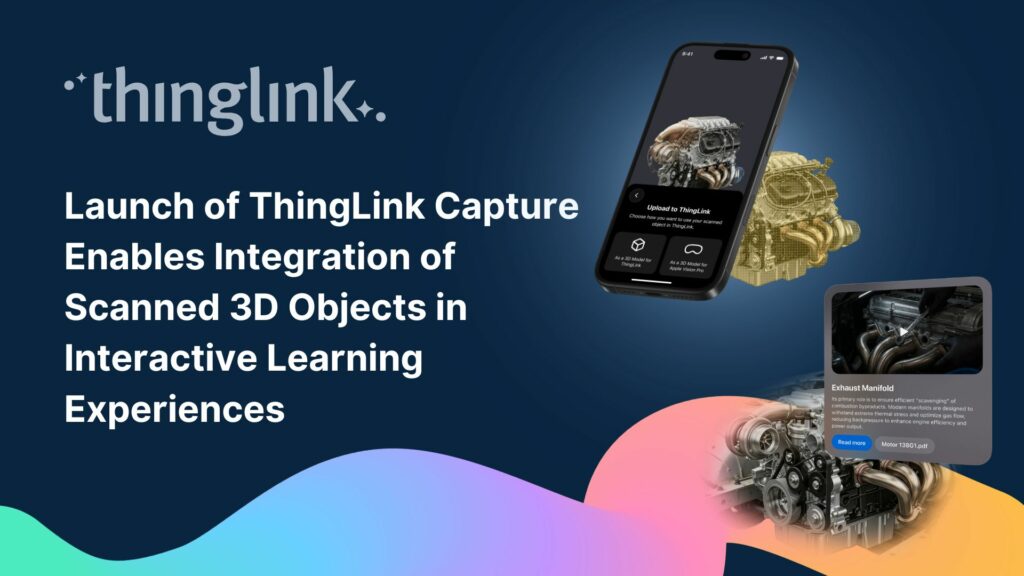
ThingLink today announced the launch of ThingLink Capture, a new iOS and iPadOS 3D scanning app that enables organizations and educators to create interactive learning experiences using iPhone and iPad models with LiDAR Scanner. The company also introduced an update to ThingLink for Apple Vision Pro, enabling immersive viewing, editing, and object-based learning experiences for Apple Vision Pro users.
Together, the two apps create an end-to-end workflow so users can capture physical objects and transform them into interactive learning content across the Apple ecosystem.
“With ThingLink Capture and our updated ThingLink app for Apple Vision Pro, we are making it easier for anyone with iPhone and iPad models with LiDAR scanner to create interactive educational experiences,” said Ulla-Maaria Koivula, Founder and CEO of ThingLink. “By leveraging the spatial computing capabilities of Vision Pro, we are helping organizations and educators connect digital guidance with physical objects so that people can learn directly from the world around them.”
ThingLink Capture allows users to scan physical objects using iPhone and iPad models with LiDAR Scanner and convert them into interactive 3D learning experiences within the ThingLink platform. Once scanned, objects can be enhanced with hotspots that include text, images, video, instructions, or links.
These interactive models can then be shared across devices, embedded into learning platforms, or accessed through learning management systems.
The new workflow – enabled by bringing together ThingLink Capture and ThingLink for Apple Vision Pro – allows organizations to transform any scanned object into a deployable spatial learning experience at speed.
Industries benefitting from the workflow include:
The ThingLink for Apple Vision Pro update introduces expanded creation capabilities. Using 3D scans generated with ThingLink Capture, users can add interactive hotspots directly within Apple Vision Pro, enabling spatial editing and content creation without leaving the immersive environment.
Learners can explore scanned objects placed within their surroundings, blending digital content with the physical world. Organizations can also position virtual objects within training environments to simulate equipment that may not be physically present.
In addition, the app now allows users to access and experience their previous ThingLink projects on Apple Vision Pro, including:
ThingLink for Apple Vision Pro (v1.5) also introduces object-based spatial learning experiences powered by 3D scans created with ThingLink Capture.
Using Apple Vision Pro’s spatial tracking capabilities combined with AI-trained 3D reference models, the app can recognize physical objects and anchor interactive learning content directly onto them.
When learners enter a physical environment wearing Apple Vision Pro, any digital interaction points that have been added will visually appear aligned with the real equipment or objects around them. The app maintains accurate alignment of annotations and media as users move around the object or environment.
This enables contextual learning experiences such as:
ThingLink Capture is available for iPhone and iPad models with LiDAR Scanner through the Apple App Store.
ThingLink for Apple Vision Pro (v1.5) is available through the visionOS App Store. Organizations interested in developing spatial training programs using Apple Vision Pro can contact ThingLink to explore pilot projects.
More information is available at thinglink.com
ThingLink is an immersive learning platform that enables organizations and educators to create contextual learning experiences using interactive images, 360° environments, and 3D models. The platform allows users to connect digital guidance, contextual information, and media to real-world environments to improve training, education, and knowledge sharing. ThingLink is used by enterprises, universities, and educators worldwide to deliver engaging and accessible learning experiences across devices.